
Editing video on a tight budget can be frustrating. You want smooth playback and fast exports, but your wallet only stretches so far.
Choosing a laptop for video editing is tricky. There are many options, and the price range is wide. Some laptops are cheap but struggle with heavy software. Others are powerful but too expensive for most people. You have to weigh things like speed, storage, and screen quality against how much you can spend.
If you go for a lower price, you might end up with slow rendering or less storage. Spend more, and you get better performance, but it may not be worth the cost for your projects.
This article will help you decide which balance of power and price makes sense for your video editing needs.
Below, you’ll see a range of laptops compared side by side. Each one suits a different style of editing, budget, or workflow—so you can find what fits you best.
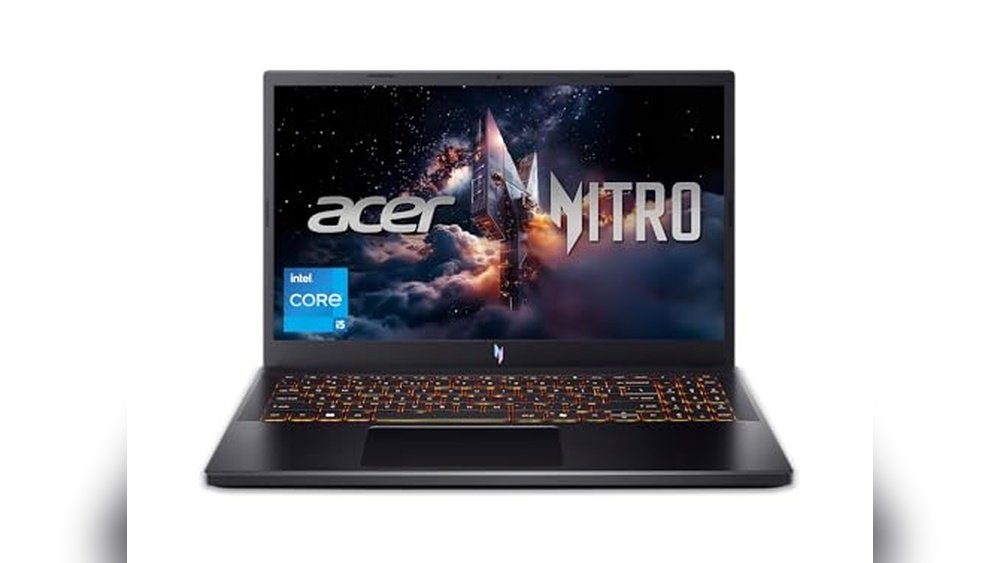
Acer Nitro V 15.6″ Fhd Laptop
The Best Budget Laptop for Video Editing for students, creators, and aspiring editors who need reliable performance without overspending.

The Acer Nitro V offers a balanced mix of power and affordability, making it a practical choice for video editors who don’t want to break the bank. With its Intel Core i5 processor and NVIDIA RTX 4050 GPU, it stands out for handling demanding editing tasks smoothly, even when multitasking or working with high-resolution footage.
Thanks to its fast 165Hz display and 8GB DDR5 memory, you can preview edits and transitions with minimal lag. The lightweight design and Wi-Fi 6 connectivity make it easy to work from anywhere, and I found the backlit keyboard especially useful during late-night sessions.
- Strengths:
- Handles video editing software like Adobe Premiere and DaVinci Resolve efficiently
- High-refresh screen for smooth playback and editing timeline scrubbing
- Modern connectivity: Thunderbolt 4, Wi-Fi 6, and Killer Ethernet
- Expandable memory up to 32GB
- Portable at under 5 pounds
- Limitations:
- 8GB RAM may require an upgrade for larger projects
- Battery life is moderate, so keep your charger handy for longer sessions
| Feature | Benefit for Editors |
|---|---|
| 165Hz FHD IPS Display | Crisp visuals and smooth preview |
| RTX 4050 GPU | Faster rendering and effects processing |
| Thunderbolt 4 | Quick file transfers and external monitor support |
Is This Laptop Right For You?
If you’re a student, freelancer, or content creator looking for a cost-effective laptop that won’t stutter through video editing tasks, the Acer Nitro V is a solid pick. Its hardware is tuned for smooth editing, and it lets you upgrade the RAM later if your needs grow.
However, if you regularly work on massive 4K projects or need all-day battery life, consider a more specialized device.
This laptop takes away the guesswork of finding a budget-friendly editing machine—just remember to factor in a possible RAM upgrade. With its reliability and connectivity, you can focus on your creative work instead of troubleshooting performance bottlenecks. For best results, keep your workspace organized and use an external drive for large video files.
Acer Aspire Go 15 Ai Laptop
The Best Budget Laptop for Video Editing for creators and students who need reliable, fast performance without overspending.
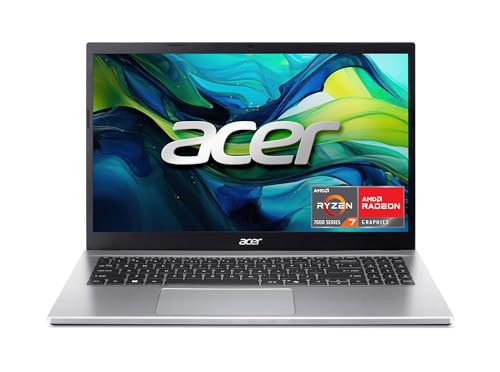
The Acer Aspire Go 15 AI Laptop is a straightforward, capable machine designed for those who want to edit videos smoothly without breaking the bank. Its AMD Ryzen 7 processor, 16GB RAM, and fast SSD storage offer enough power for handling multi-layer editing and quick rendering, giving you less waiting and more creating.
In daily use, the 15. 6″ Full HD IPS display delivers good clarity and color accuracy for video previews, while the lightweight build makes it easy to carry to class or a studio. Reliable Wi-Fi 6 means fast uploads, and the intuitive Windows 11 interface with Copilot AI support helps streamline your workflow, so you spend less time on repetitive tasks.
- Why It Works for Video Editing: The blend of a strong CPU, dedicated memory, and speedy SSD means smoother timeline scrubbing and faster export times for most popular editing apps.
- Connectivity: Full-function USB-C and HDMI 2.1 let you easily connect external drives and monitors for a better editing setup.
- Display Consideration: While the screen is sharp and vibrant for its price, color-critical projects may need a calibrated external monitor.
Is This The Right Laptop For You?
If you’re a student, content creator, or freelancer looking to start or upgrade your video editing on a budget, the Acer Aspire Go 15 offers a reliable foundation without unnecessary extras. It removes the stress of laggy performance and limited storage, so you can focus on your creative process.
Those working with very high-end color grading or intensive 4K workflows might eventually want more graphical power, but for most entry- to mid-level editing, this laptop is a trustworthy pick. Make sure to save your projects on the fast SSD or an external drive for extra peace of mind.
Nimo 15.6″ Ryzen 7 Laptop
The Best Budget Laptop for Video Editing for students, content creators, and remote professionals who need reliable performance without overspending.

The NIMO 15. 6″ Ryzen 7 Laptop is a powerful yet affordable choice for anyone looking to edit videos on a budget. Thanks to its 8-core AMD Ryzen 7 Pro 6850U processor and 32GB of RAM, you can work with high-resolution footage and multitask across editing software without lag or crashes.
In real-life use, this laptop feels responsive and dependable even during long sessions. The lightweight build and all-day battery make it easy to move from home to campus or a café, while the fast-charging feature helps you stay productive without hunting for outlets.
- Strengths:
- Excellent multitasking with 32GB LPDDR5 RAM
- Fast 1TB SSD for quick project load times
- Integrated Radeon 680M graphics suitable for 1080p video editing
- Lightweight at 3.75 lbs and slim profile
- 2-year US-based warranty for peace of mind
- Considerations:
- Not aimed at 4K or heavy 3D video production
- No mention of dedicated GPU; best for mainstream editing tasks
Who Will Appreciate This Laptop
If you’re a student, freelance creator, or remote worker looking for the Best Budget Laptop for Video Editing, the NIMO 15. 6″ Ryzen 7 Laptop offers reliable performance for everyday editing, school projects, and creative work. It’s a great choice if you want a machine that’s easy to carry, quick to charge, and worry-free thanks to its warranty and US-based support.
Those needing high-end graphics for complex 3D or 4K workflows may want to consider higher-tier options, but for most video editing needs, this laptop keeps things simple and stress-free. Remember to keep your files organized on the spacious SSD for the smoothest editing experience.
Phatom 15.6″ Fhd Laptop
Best Budget Laptop for Video Editing seekers will appreciate this model for students, remote workers, or anyone needing a reliable entry-level video editing machine.
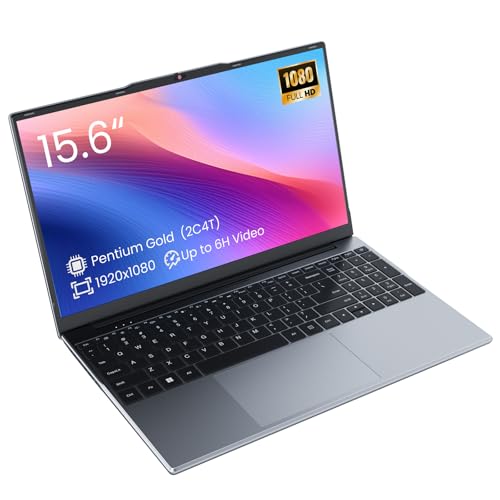
The Phatom 15. 6″ FHD Laptop is an affordable, entry-level notebook designed for everyday computing, online classes, and basic video editing. With a crisp 15. 6-inch Full HD display and a Pentium Gold processor, it delivers clear visuals and steady performance for budget-conscious editors and students.
Notably, its 128GB SSD means fast boot-ups and smooth file handling for light video projects.
In practice, this laptop feels lightweight and portable, making it suitable for working on the go or in tight study spaces. The preinstalled Windows system and modern ports (including HDMI and USB-C) make setup simple, while the cooling fan helps keep things reliable during longer sessions.
It’s a straightforward solution that helps users focus on their projects instead of tech hassles.
- Strengths:
- Full HD IPS display for accurate video previewing
- Upgradeable RAM for improved multitasking
- Multiple modern ports (HDMI, USB-C, microSD)
- Lightweight and easy to carry (3.8 lbs)
- Limitations:
- 4GB RAM is limiting for advanced editing—consider upgrading
- Battery life (up to 4 hours) may require frequent charging on long days
| Feature | Summary |
|---|---|
| Display | 15.6″ Full HD IPS |
| Processor | Pentium Gold (2-core, 4-thread) |
| Storage | 128GB SSD (expandable) |
| RAM | 4GB (upgradeable to 16GB) |
| Battery | Up to 4 hours video playback |
Is This The Right Laptop For You?
If you’re a student, entry-level video editor, or someone looking for a dependable, budget-friendly laptop for simple editing tasks, the Phatom 15. 6″ FHD Laptop is a practical pick. It takes the stress out of finding a reliable machine for school or remote work, and you can always upgrade the RAM later if your needs grow.
However, advanced users or those editing complex video projects might find the base 4GB RAM restrictive and should consider boosting memory for smoother performance. If you’re after a straightforward, portable device that covers the essentials and won’t break the bank, this laptop is a reassuring option.
Remember to keep your charger handy for longer sessions, and enjoy the clarity of a true Full HD display for your creative work.
Sagawhale 15.6″ Fhd Ryzen 7 Laptop
Best Budget Laptop for Video Editing seekers—this is a smart pick for students, creators, and anyone needing reliable performance without overspending.
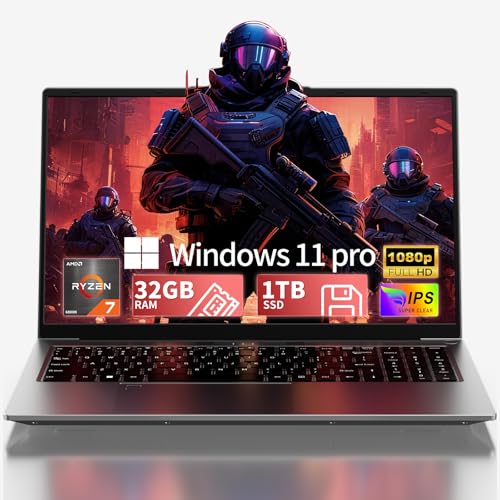
The SAGAWHALE 15. 6″ FHD Ryzen 7 Laptop is a lightweight, feature-packed option designed for creators and students who need smooth video editing on a budget. With a powerful AMD Ryzen 7 6800H processor and a generous 32GB of RAM, it tackles demanding editing tasks without hesitation—making it easy to handle multiple layers and effects in your projects.
In daily use, the Full HD anti-glare display is comfortable for long editing sessions, and the large 1TB NVMe SSD means you won’t waste time waiting for files to load. The robust build, portable weight, and reliable 2-year warranty provide a sense of security whether you’re working at home or on the go.
- Strengths:
- High 32GB RAM for seamless multitasking and editing
- 1TB NVMe SSD for fast storage and quick access to large video files
- Six versatile ports including dual USB-C and HDMI for easy peripheral setup
- Lightweight (3.5 lbs) and portable for students or creators on the move
- Premium 2-year warranty and 24/7 support
- Limitations:
- Integrated graphics—suitable for most video editing, but not high-end 3D rendering
- No dedicated GPU for advanced gaming or heavy VFX work
Is It Right For Your Workflow?
If you’re looking for a capable, affordable laptop for video editing, classwork, or content creation, this SAGAWHALE model hits the sweet spot for price and specs. It’s ideal for students, freelance editors, or anyone needing a solid workhorse that won’t break the bank.
Those who need top-tier gaming or 3D rendering performance, however, may want to consider a laptop with a dedicated GPU instead.
This laptop removes the stress of slow project renders and running out of memory, letting you focus on creativity. If you’re new to video editing, you’ll appreciate how smoothly it handles common apps and tasks. For best results, keep your files organized on the spacious SSD—and know that the reliable warranty and support have your back if you ever need help.
Asus Vivobook Go 15.6″ Slim Laptop
The Best Budget Laptop for Video Editing for students, content creators, or anyone seeking affordable performance and portability.

The ASUS Vivobook Go 15. 6″ Slim Laptop is a lightweight, affordable option designed for users who need reliable performance on a tight budget. It’s especially suited for video editing beginners or creators who work with lighter footage and want a portable setup.
The standout feature is the AMD Ryzen 3 7320U Quad-Core processor, which provides steady multitasking ability for editing software without overwhelming your wallet.
In everyday use, this laptop feels dependable and convenient, with 8GB DDR5 RAM and a 256GB SSD making file management and app launching smooth. The 15. 6-inch FHD display delivers clear visuals, so you can comfortably preview your edits and enjoy your finished videos.
The long battery life means you can edit on the go without constantly searching for a power outlet.
- What’s great:
- Striking 15.6″ FHD display with decent brightness for clear video previewing
- Good battery life (up to 11 hours) for working away from your desk
- Military-grade durability and webcam shield add peace of mind
- Fast charging for less downtime
- Things to consider:
- Best for basic to moderate video editing; not suited for heavy 4K or complex effects
- 256GB storage may fill up quickly with large video files—consider external storage for big projects
| Key Specs | Details |
|---|---|
| Processor | AMD Ryzen 3 7320U Quad Core |
| Memory & Storage | 8GB DDR5 RAM, 256GB SSD |
| Display | 15.6″ Full HD (250 nits, 45% NTSC) |
| Battery Life | Up to 11 hours |
Is The Vivobook Go Right For You?
If you’re a student, beginner video editor, or someone who wants an affordable laptop that can handle light editing and everyday tasks, the ASUS Vivobook Go 15. 6″ is a practical choice. It reduces the stress of finding a budget-friendly laptop that doesn’t feel underpowered and lets you focus on learning, creating, and sharing your videos.
However, if you work with high-resolution footage or advanced effects, you’ll want something with more power and storage. For most entry-level and casual editors, though, this laptop is reassuringly sturdy and straightforward—just remember to keep an external drive handy to manage your video files efficiently.
Acer Aspire Go 15 Fhd Laptop
The Best Budget Laptop for Video Editing for students, beginners, or anyone seeking an affordable entry point into video editing tasks.
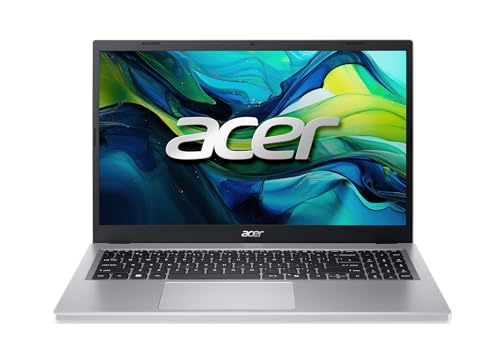
The Acer Aspire Go 15 FHD Laptop is a straightforward, budget-friendly machine designed for everyday computing and light video editing. Powered by an AMD Ryzen 3 7320U processor with 8GB of memory and a fast 128GB SSD, it offers smooth performance for entry-level editing projects without overwhelming you with unnecessary features.
Day-to-day use feels reliable and easy, especially with its clear 15. 6″ Full HD IPS display for previewing footage. Thanks to its user-friendly design, you can quickly connect peripherals or external drives, and the battery life is ample for long editing sessions or classes away from a plug.
For those new to editing or working on basic videos, this laptop builds confidence without stretching your budget.
- Strengths:
- Excellent value for casual video editing and student projects
- Fast SSD for quick file access and project saves
- Full HD IPS screen for comfortable, accurate viewing
- Dual USB-C ports and Wi-Fi 6 for modern connectivity
- Limitations:
- 128GB storage fills up quickly with large video files
- Not suitable for intensive, professional-grade editing
Is This Your Editing Laptop?
If you’re starting out with video editing or need a reliable, low-cost laptop for school projects, the Acer Aspire Go 15 is a smart pick. It takes away the worry of overspending while still supporting the basic tools and workflow you’ll need.
However, if you plan to work with large video files or run demanding editing software, you may want to consider a machine with more storage and a faster processor.
This laptop is best for those who value simplicity, portability, and affordability. As a tip, consider using an external drive to supplement the internal SSD, especially if your projects grow in size. You can feel confident that for everyday use and entry-level editing, this device will keep up with your needs without complication.
Lenovo Ideapad 15.6″ Touchscreen Laptop
The Best Budget Laptop for Video Editing for students, creators, or freelancers who need solid performance without overspending.

The Lenovo IdeaPad 15. 6″ Touchscreen Laptop is a dependable choice for video editors who want a mix of power and affordability. With a 10-core Intel Core i5 processor, 40GB RAM, and a fast 2TB SSD, this laptop handles editing software and large video files without lag, making your workflow smoother and frustration-free.
In real-world use, the responsive touchscreen and anti-glare display make long editing sessions more comfortable. The included Windows 11 Pro and lifetime Microsoft Office license add value for school or work tasks, and the lightweight build makes it easy to carry between home, studio, or campus.
- Why it stands out: High RAM and storage mean you won’t run into slowdowns, even with demanding projects.
- Connectivity: Multiple USB ports, HDMI, SD card reader, and Wi-Fi 6 ensure you can easily connect peripherals and transfer footage.
- Limitation: While the integrated Intel Iris Xe graphics are capable, they may not satisfy those who need dedicated GPUs for ultra-high-end effects or 3D work.
Is This The Right Fit?
If you’re a student, freelancer, or content creator looking for the Best Budget Laptop for Video Editing, this Lenovo IdeaPad offers a solid balance of speed, storage, and ease of use. It’s ideal for editing HD and 4K videos on a budget, working on class projects, or managing a YouTube channel without worrying about frequent crashes or running out of space.
Those aiming for professional 3D animation or heavy color grading may want to seek laptops with dedicated graphics cards, but for most users, this model keeps editing frustration to a minimum. One practical tip: take advantage of the large SSD and SD card reader for quick backups and file transfers. You can feel confident that this laptop won’t hold you back as you grow your skills or business.
Hp 15.6″ Touchscreen Ryzen 3 Laptop
Best Budget Laptop for Video Editing for students, hobbyists, and creators seeking an affordable option with touchscreen versatility.

This HP 15. 6″ laptop is designed for those who need a dependable machine for video editing without stretching their budget. Its AMD Ryzen 3 processor and AMD Radeon Graphics deliver enough power to handle editing tasks, while the HD touchscreen display offers intuitive control and a comfortable visual workspace.
In real use, the laptop feels responsive thanks to its 8GB RAM and fast 128GB SSD, so loading files or running editing software is smooth. The lightweight build and natural silver finish make it easy to carry and stylish, and you can confidently tackle creative projects without worrying about lag or slowdowns.
- Strengths:
- Touchscreen interface for direct control and faster navigation
- Efficient SSD storage speeds up file handling
- Good battery life for portable editing sessions
- Lightweight and slim for easy transport
- Limitations:
- HD (1366 x 768) resolution may not suit advanced editing needs
- 128GB storage can fill up quickly with large video files
Is This The Right Laptop For You?
This HP laptop is ideal for students, hobbyists, or anyone starting out with video editing who doesn’t want to overspend. If you need a device for basic editing, learning new skills, or working on smaller projects, it’s a reassuring pick that won’t weigh you down or complicate your workflow.
Advanced editors or those working with very high-resolution footage may want to look for more storage and a sharper screen. For most users, though, the touchscreen and fast SSD make everyday tasks simpler and more enjoyable. Tip: Pair this laptop with an external drive for storing large projects—this keeps your workspace fast and uncluttered.
Rest easy knowing this laptop covers essential editing needs without unnecessary complexity. It’s a practical, reliable companion for creative work on a budget.
Hp Stream 14″ Gold Laptop
A Best Budget Laptop for Video Editing that’s ideal for students, beginners, or anyone seeking an affordable way to get started with basic video projects.
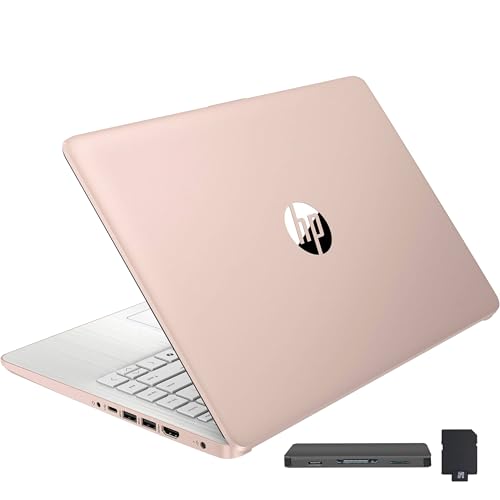
The HP Stream 14″ Gold Laptop is a lightweight, budget-friendly device designed to handle daily computing needs and entry-level video editing. With 16GB RAM and a combined 288GB of storage, it gives you more room and speed than most laptops in this price range, making it a practical choice for students or creators on a tight budget.
In real-life use, the HP Stream feels agile for basic video tasks, especially with its upgraded RAM helping to reduce lag when running multiple applications. The slim profile and light weight make it easy to carry to class, coffee shops, or editing sessions on the go, while the 720p webcam and Office 365 subscription add convenience for online meetings and productivity.
- Strengths: Generous RAM for multitasking, portable and lightweight design, and a useful docking station with extra storage and accessories.
- Limitations: Entry-level Intel Celeron processor is not suitable for heavy rendering or advanced video editing software; the HD display is basic and not full HD.
- Best For: Basic video editing, school projects, YouTube intros, or learning video software without a big investment.
Is This The Right Choice For You?
If you want an affordable laptop for simple video editing, learning the ropes, or managing school multimedia assignments, the HP Stream 14″ Gold Laptop is a sensible pick. It removes the anxiety of overspending while giving you enough speed and storage to get started with most entry-level video projects.
However, if you plan to work with large files or need high-end editing performance, you may want to look elsewhere.
For best results, stick with lightweight editing software and store larger files on the included docking station. You can work confidently knowing you have a year of Office 365 and a laptop that’s easy to transport. If you’re just starting out, this HP Stream keeps things stress-free and manageable.
How To Decide Which Budget Laptop Suits Your Workflow
Start by thinking about how you’ll use your laptop day-to-day. Balance performance with portability and battery life, depending on your needs. Consider if you value storage, memory, or display quality more. Think about whether you’ll need dedicated support or warranty.
Let your priorities guide your choice, not just specs or price.
Common Pitfalls And Who Should Consider Other Options
- Expecting high-end gaming or 4K video editing from entry-level models.
- Assuming all laptops are equally upgradeable or future-proof.
- Choosing based only on price without considering warranty or support.
- Overlooking weight and battery life for frequent travel needs.
- Buying for heavy creative work without enough RAM or storage.
Frequently Asked Questions About Best Budget Laptop For Video Editing And Everyday Use
Can A Budget Laptop Handle Basic Video Editing Tasks?
Most can handle simple video cuts and edits if you use lighter software. For complex effects or 4K footage, you’ll need more RAM and storage.
Is A Dedicated Graphics Card Necessary For Video Editing?
It helps with rendering and smooth playback, but for basic editing, integrated graphics can suffice. If you plan to use advanced effects, look for a model with a dedicated GPU.
Should I Prioritize Ram Or Ssd Storage For Video Editing?
Both matter. More RAM allows smoother multitasking, while SSD storage speeds up file access. Aim for at least 8GB RAM and an SSD for a balanced experience.
Are These Laptops Suitable For Students Or Office Work?
Yes, most budget laptops are designed for everyday productivity, web browsing, and light creative tasks. Check for features like battery life and portability if you’re on the move.
What Are Common Regrets After Buying A Budget Laptop?
Many wish they had chosen more storage or a brighter screen. Some regret not checking warranty or upgrade options. Think about your future needs before buying.
Is Touch Screen Useful For Video Editing?
It’s not essential, but it can make navigation easier. For most video editing tasks, a traditional keyboard and mouse are more efficient.
Can I Upgrade Ram Or Storage Later?
Some models allow upgrades, but many budget laptops have fixed memory or storage. Check the manufacturer’s details before buying if upgrades are important to you.
Feeling Ready To Make Your Laptop Choice
There’s no single “best” laptop—only what fits your needs and habits best. Take your time, trust your priorities, and remember that every option has trade-offs.
Choosing a laptop is easier when you know what matters most to you. Let the details settle, and move forward with clarity and confidence.